

Cloud signature eSign
A mobile app for qualified electronic signatures: QR-code login, key and certificate management.
Mobile appE-signatureSecurity
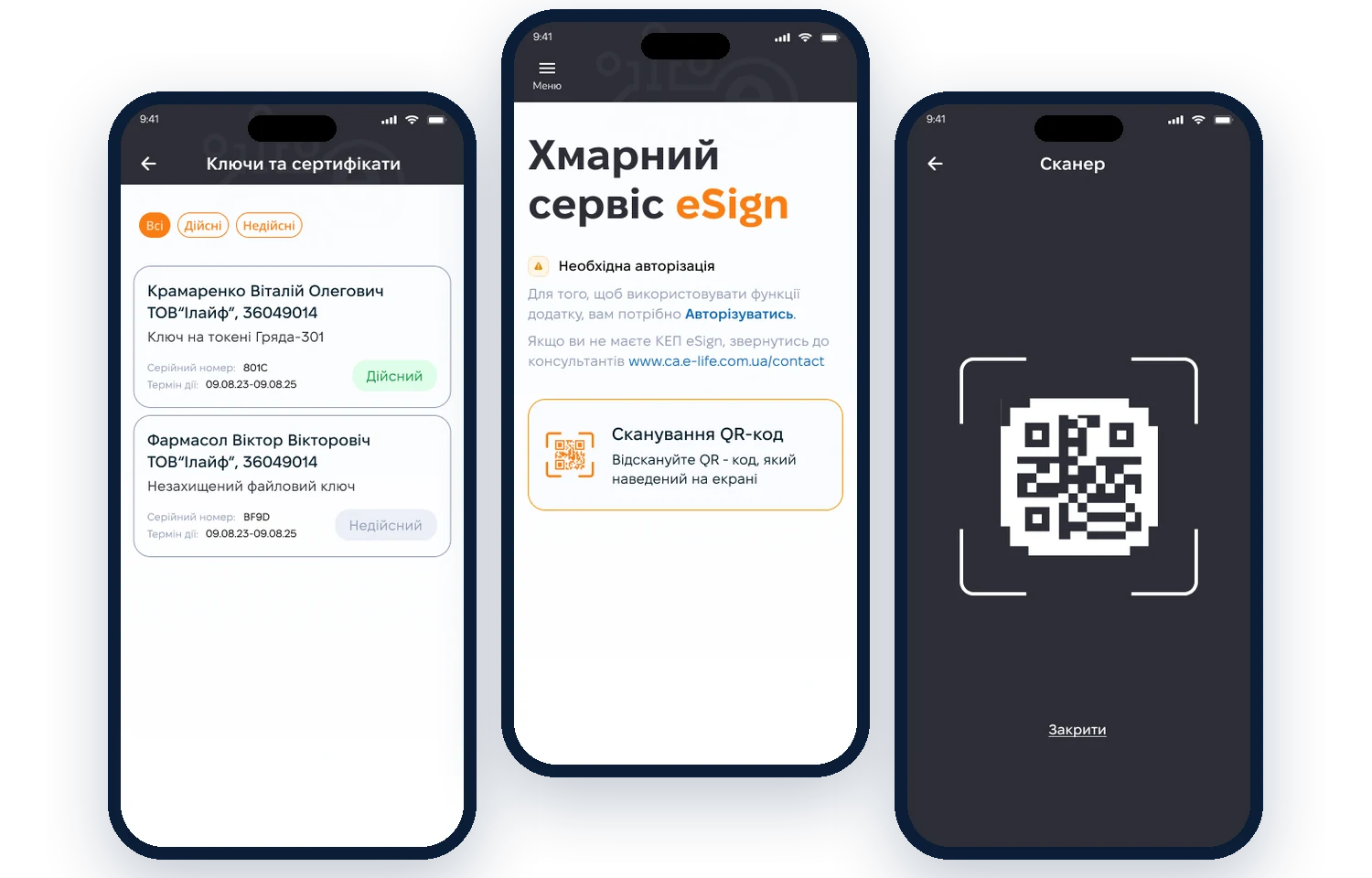
CHALLENGE
Make qualified e-signatures simple
Design an app where users log in with a QR code, see their keys and certificates and sign documents without complex setup.
- QR-code login
- List of keys and certificates
- Key validity status
- Certificate expiry dates
- Tips for new users
- Contact support
WHAT WE DID
From complex technology to three screens
01AnalysisHow users work with qualified e-signatures today
02FlowsLogin, viewing keys, signing
03PrototypeTesting the QR login flow
04UI designDark scanner theme and UI kit
SOLUTION
A signature in a few taps
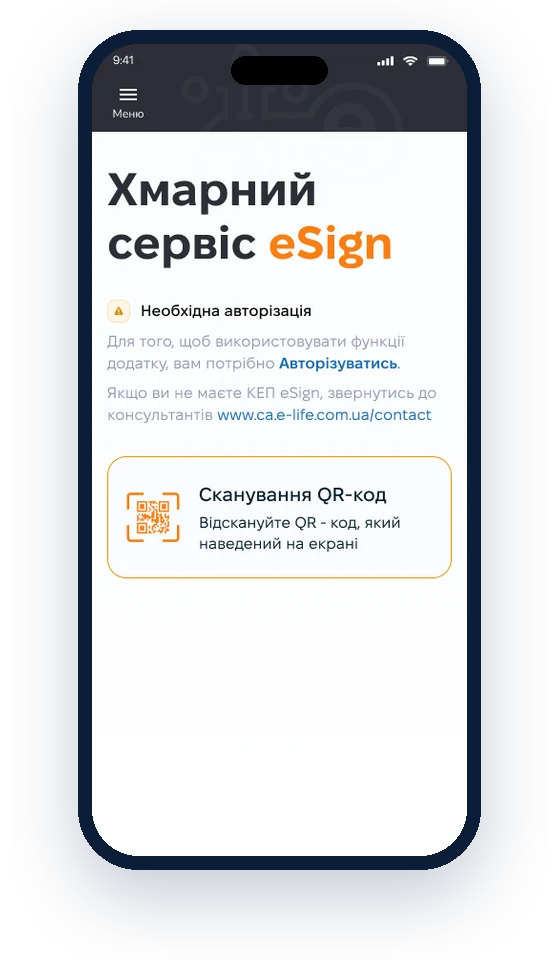
01 · Home
One clear action to start
New users see that they need to log in and how, and the main action — “Scan QR code” — has its own card.
- No-jargon explanations
- Highlighted main action
- Support contacts
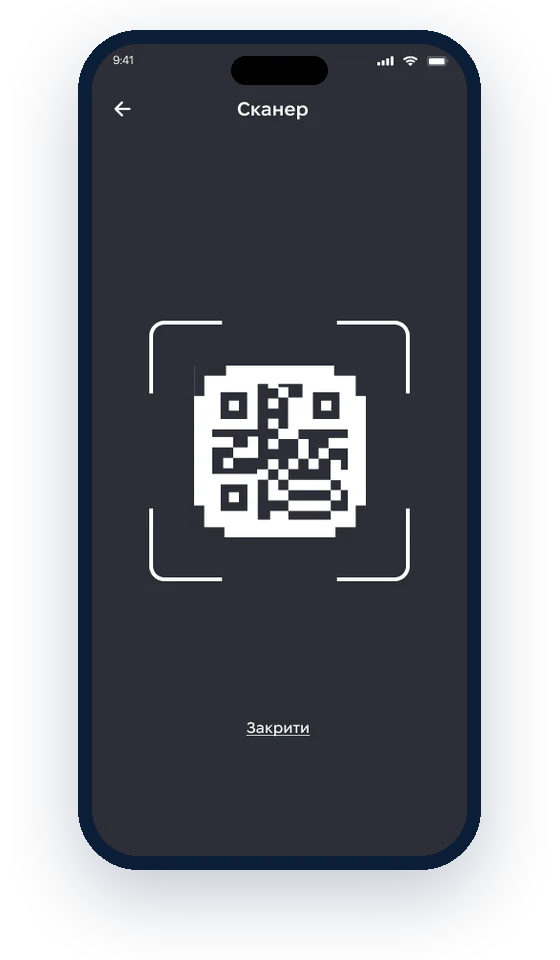
02 · Scanner
Log in by scanning a QR code on screen
A dark scanner background helps point the camera at the code quickly, and the frame shows exactly where to aim.
- Dark background for contrast
- Aiming frame
- Close with one tap
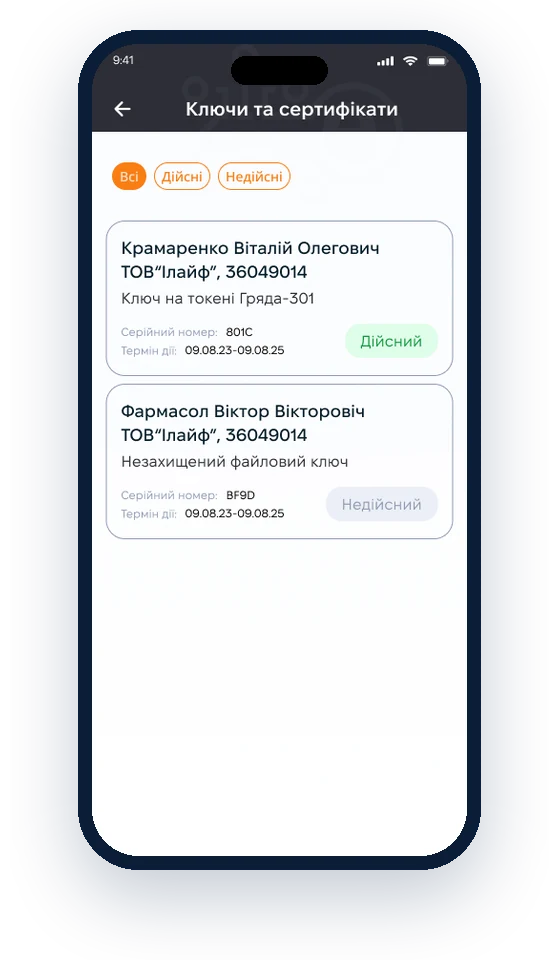
03 · Keys
Keys and certificates with their status
Each key shows its owner, storage type, serial number and expiry date. Valid and invalid keys can be filtered.
- Filter by status
- Expiry visible at a glance
- Key type and storage
Have a similar challenge?Fill in the brief