

Patient Portal
A patient’s personal account: doctor booking, test results, prescriptions and referrals — on the web and on the phone.
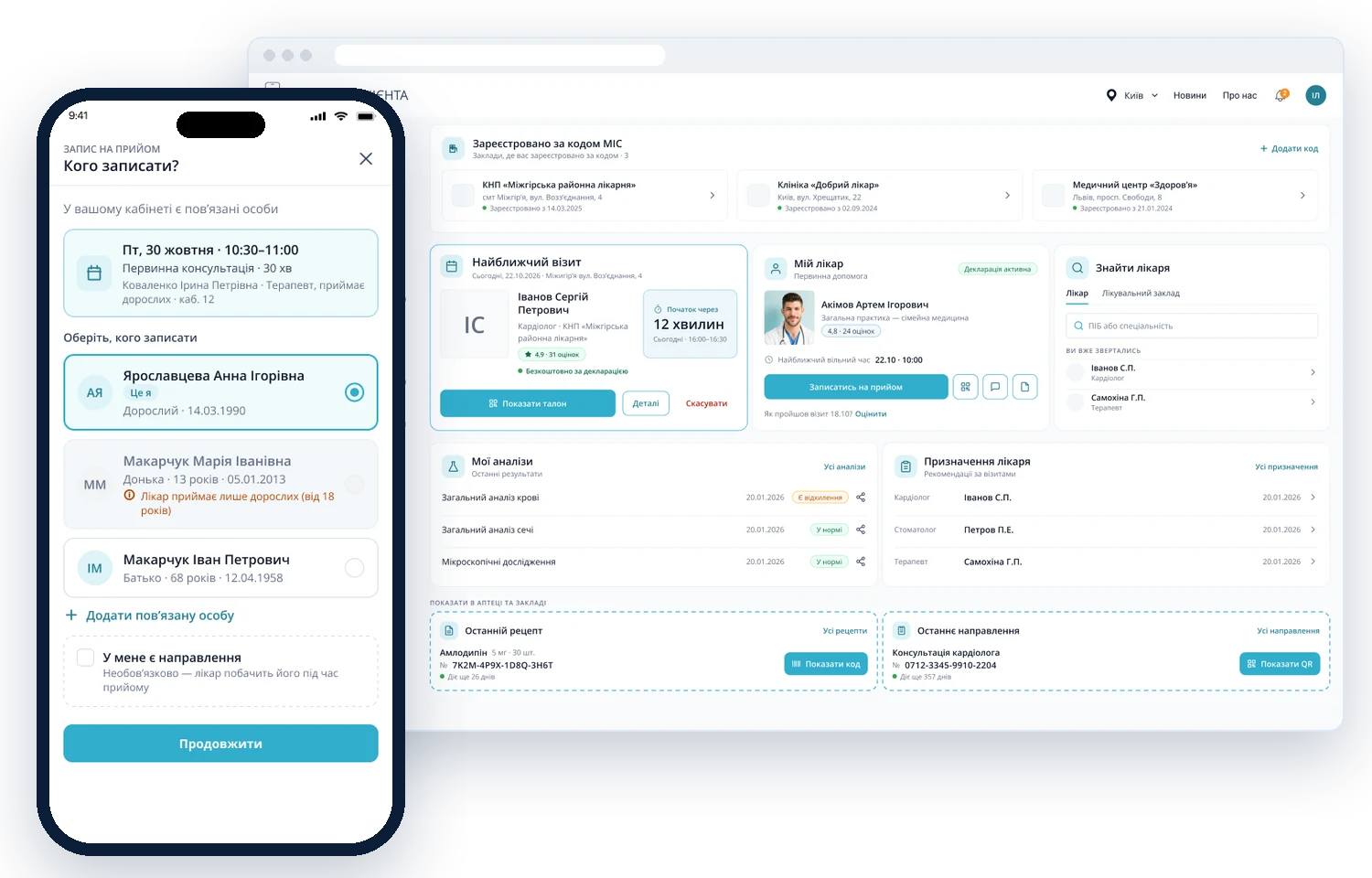
Bring everything about a patient’s health into one account
Design a personal account where patients book doctors, see their next visit, test results, prescriptions and referrals — and can book for their family.
- Online doctor booking
- Next visit and ticket
- Test results
- Prescriptions and referrals with a QR code
- Booking for family members
- Immunizations and vaccination calendar
From patients’ key tasks to the account
An account that answers the main question right away
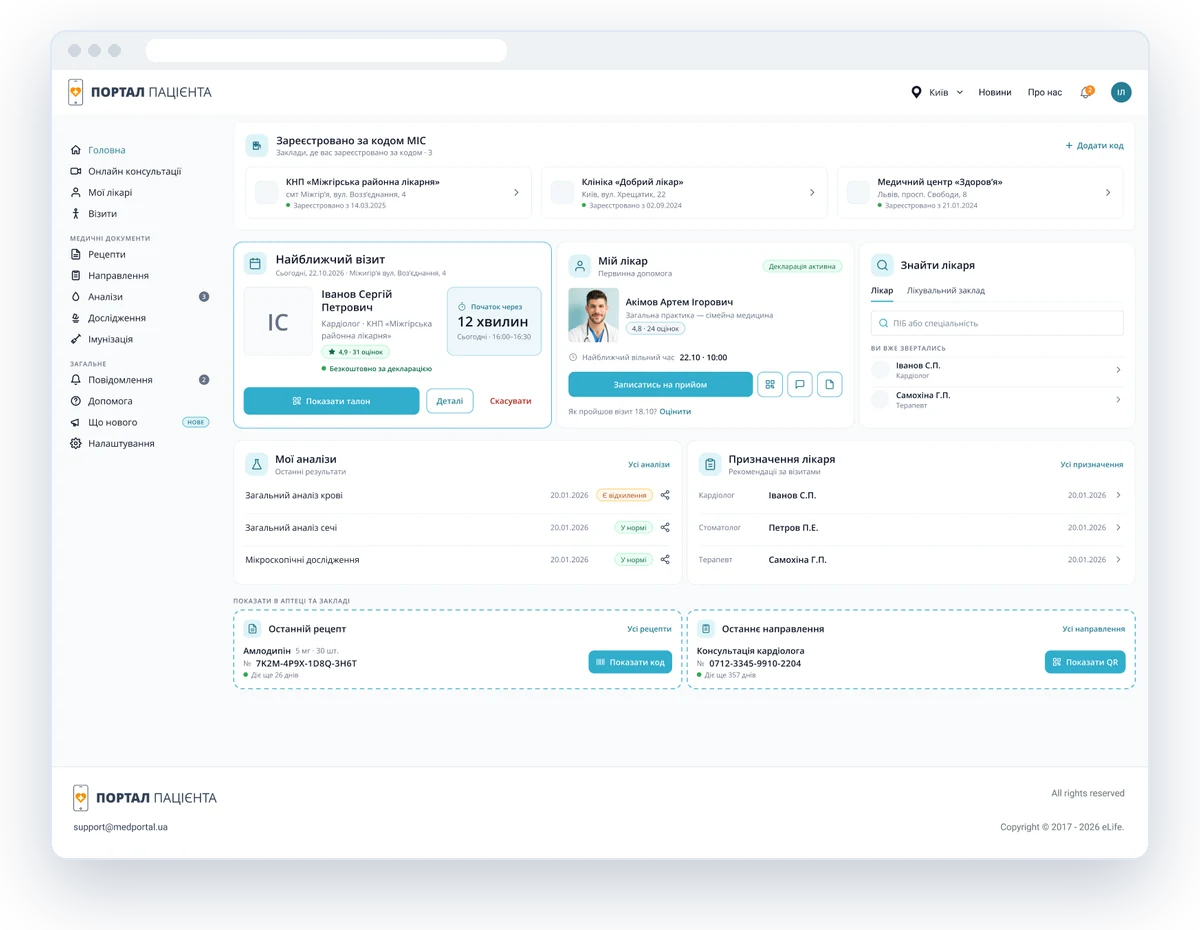
Next visit, doctor and test results on one screen
The dashboard shows when your next visit is, who your doctor is and which test results are ready. A prescription or referral can be shown at a pharmacy or clinic as a QR code.
- Visit countdown and ticket
- Book your own doctor
- Prescriptions and referrals with QR
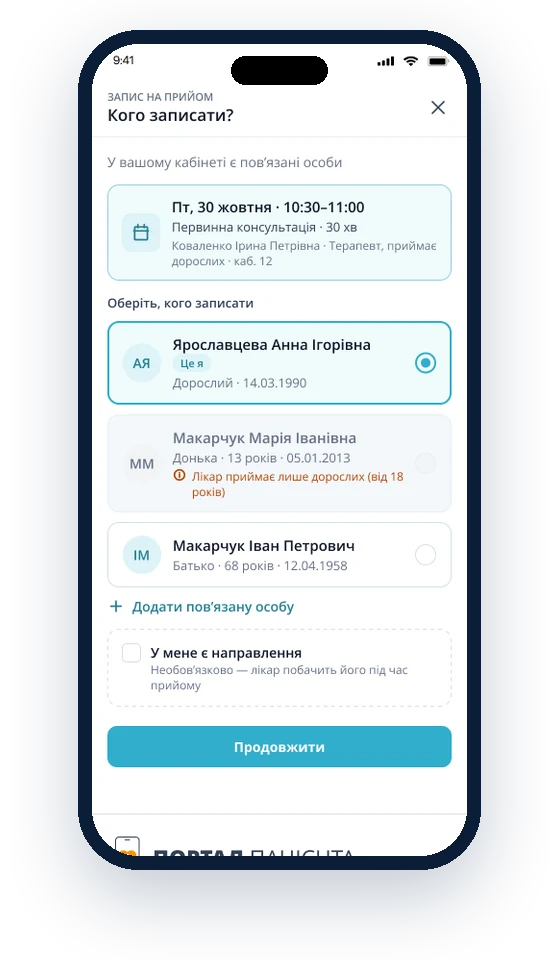
Book for yourself and your family
Patients choose who to book — themselves, a child or a parent. The system warns right away if the doctor doesn’t see that age group.
- Family members in the account
- Hints about restrictions
- Add a person in a minute
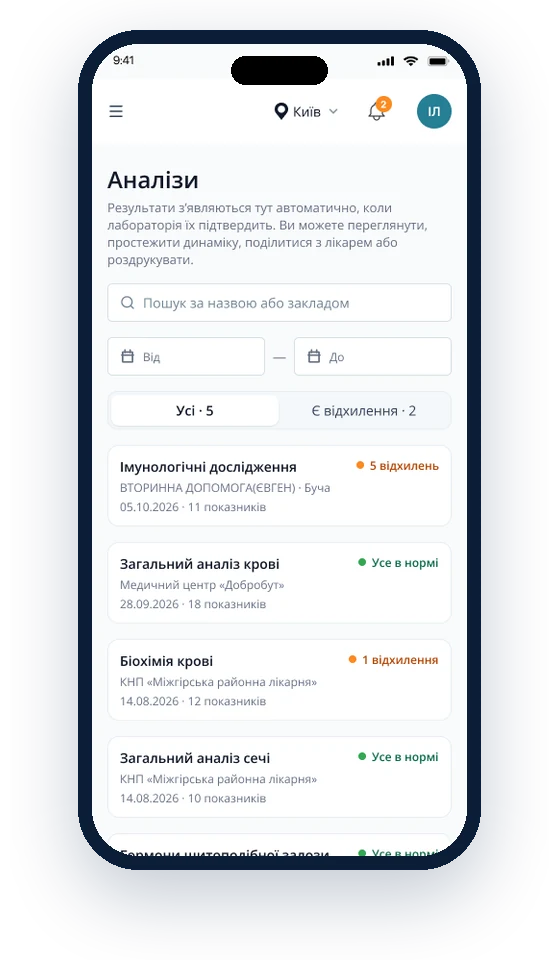
Test results appear automatically
As soon as the lab confirms a result, it appears in the account. Out-of-range values are visible right in the list — no need to open each test.
- “Out of range” label
- Search and date filter
- Share with your doctor
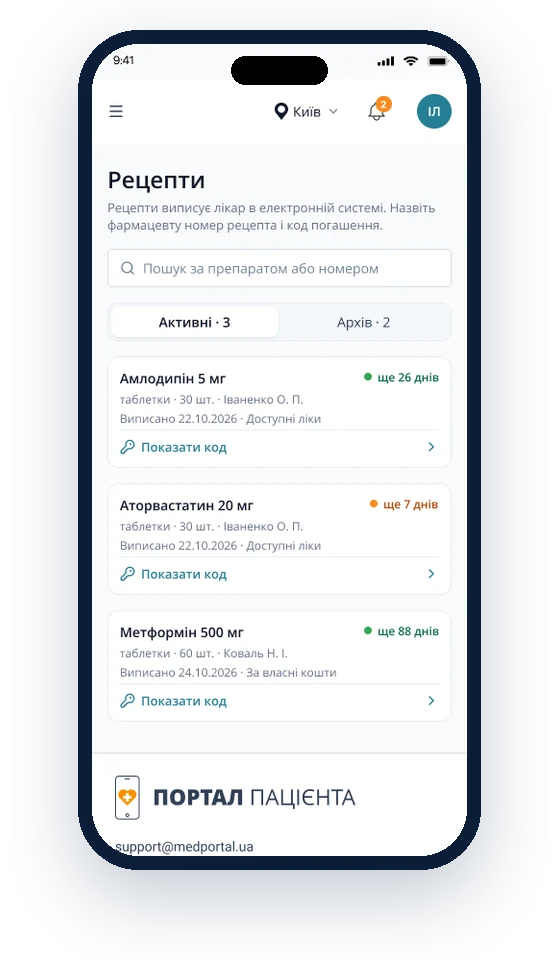
A prescription is a code you show at the pharmacy
Active prescriptions show how many days they remain valid. The “Show code” button opens the prescription number and redemption code for the pharmacist.
- Prescription validity
- Code for the pharmacy
- Archive of redeemed prescriptions