

Redesigning the website of eLife
A new bilingual website for a developer of medical information systems, qualified e-signatures and information security: 13 pages about the company’s products, projects and licences.
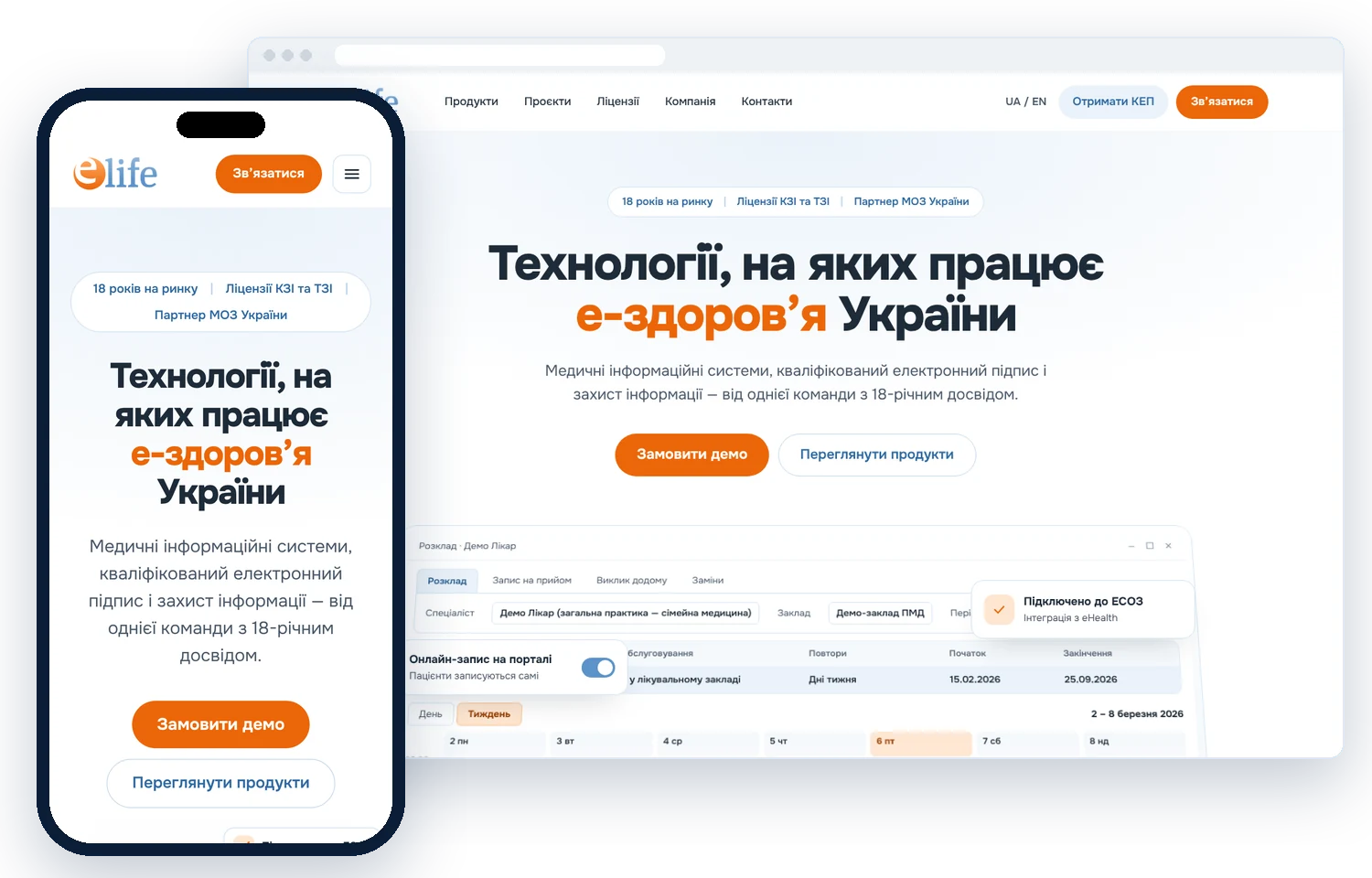
Present 18 years of expertise so that it is easy to understand
eLife builds medical information systems, qualified e-signature services and information security for the Ministry of Health, hospitals and communities. The task was to organise more than 15 solutions and 20+ projects into a clear structure for chief physicians, IT specialists and government clients — and to show that the company can be trusted.
- More than 15 products in three areas
- 20+ national and regional projects
- Licences, certificates and attestations
- A separate page for every product
- Ukrainian and English versions
- A demo request from every page
From a product catalogue to a website
A website that explains complex products simply
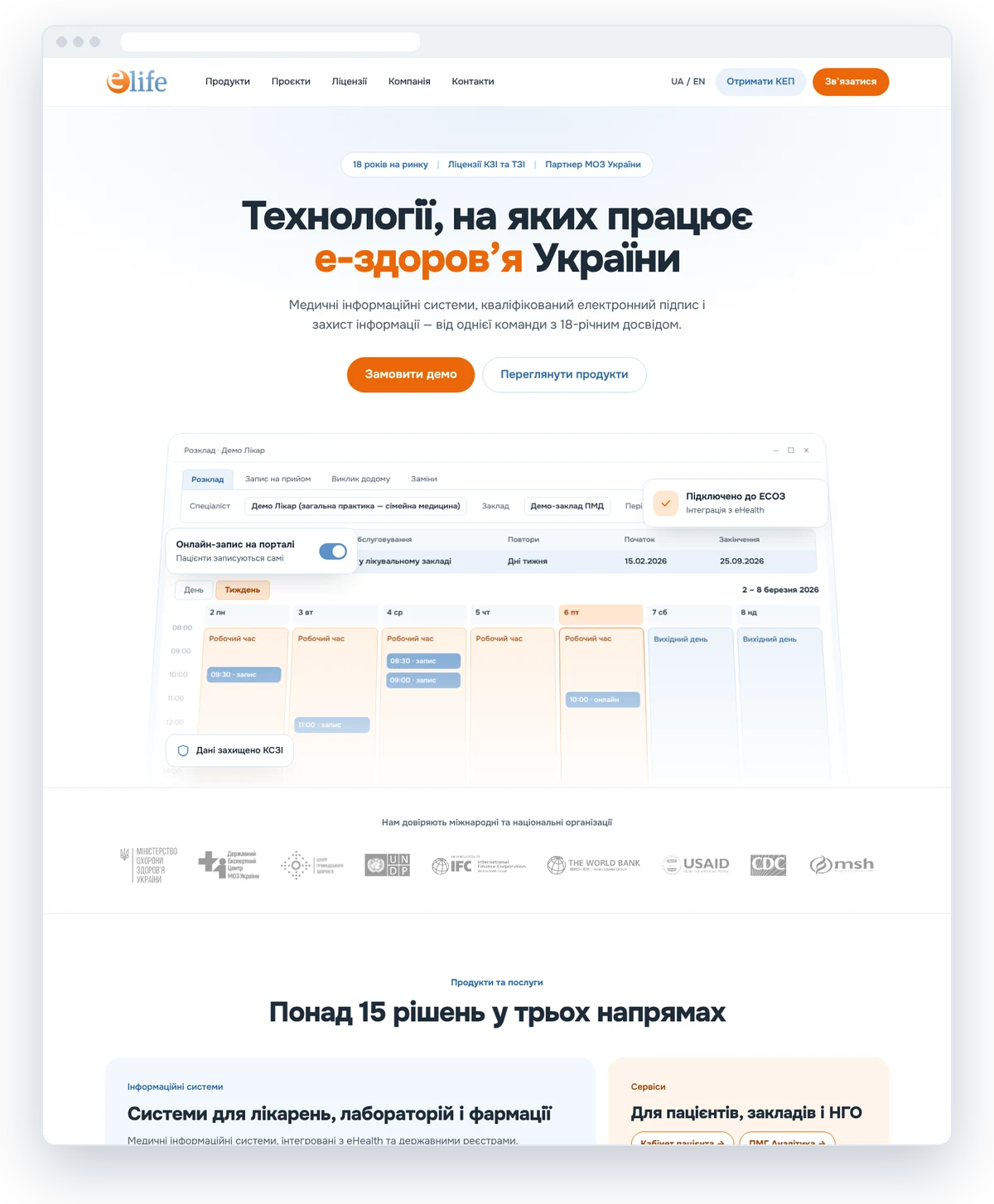
Three areas — one team
The first screen immediately explains what eLife does and shows a live fragment of the MEDEIR system with a doctor’s schedule. Below are products by area, company figures and partner logos.
- An interface demo on the first screen
- Products by area
- Figures and partners
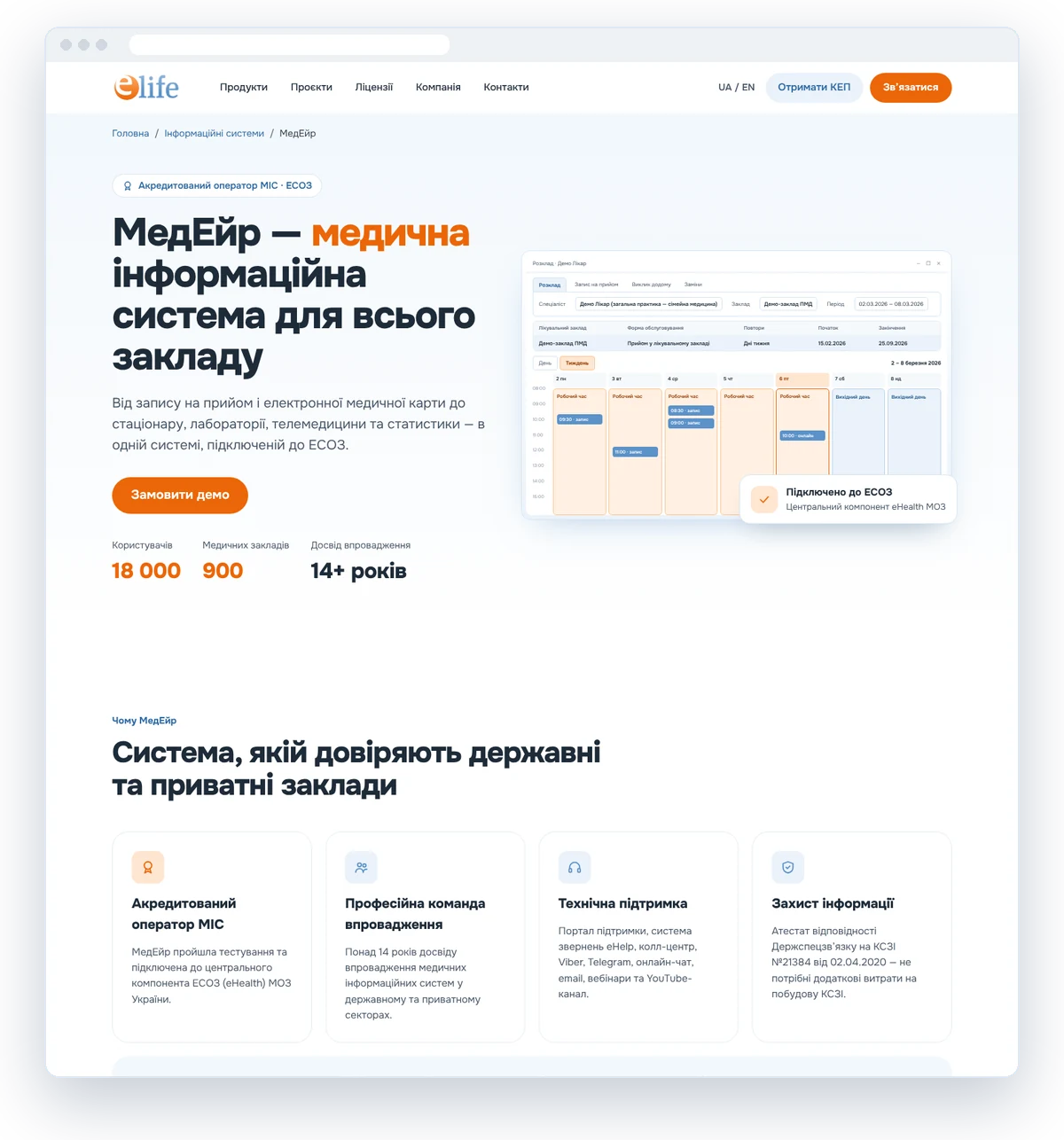
Every product tells its own story
MEDEIR, STARLIS, ePACS, PMG Analytics and other solutions got their own pages: who the product is for, what it automates and how to get started. Adoption figures and interface fragments instead of generic words.
- Interface fragments
- Adoption figures
- Demo request
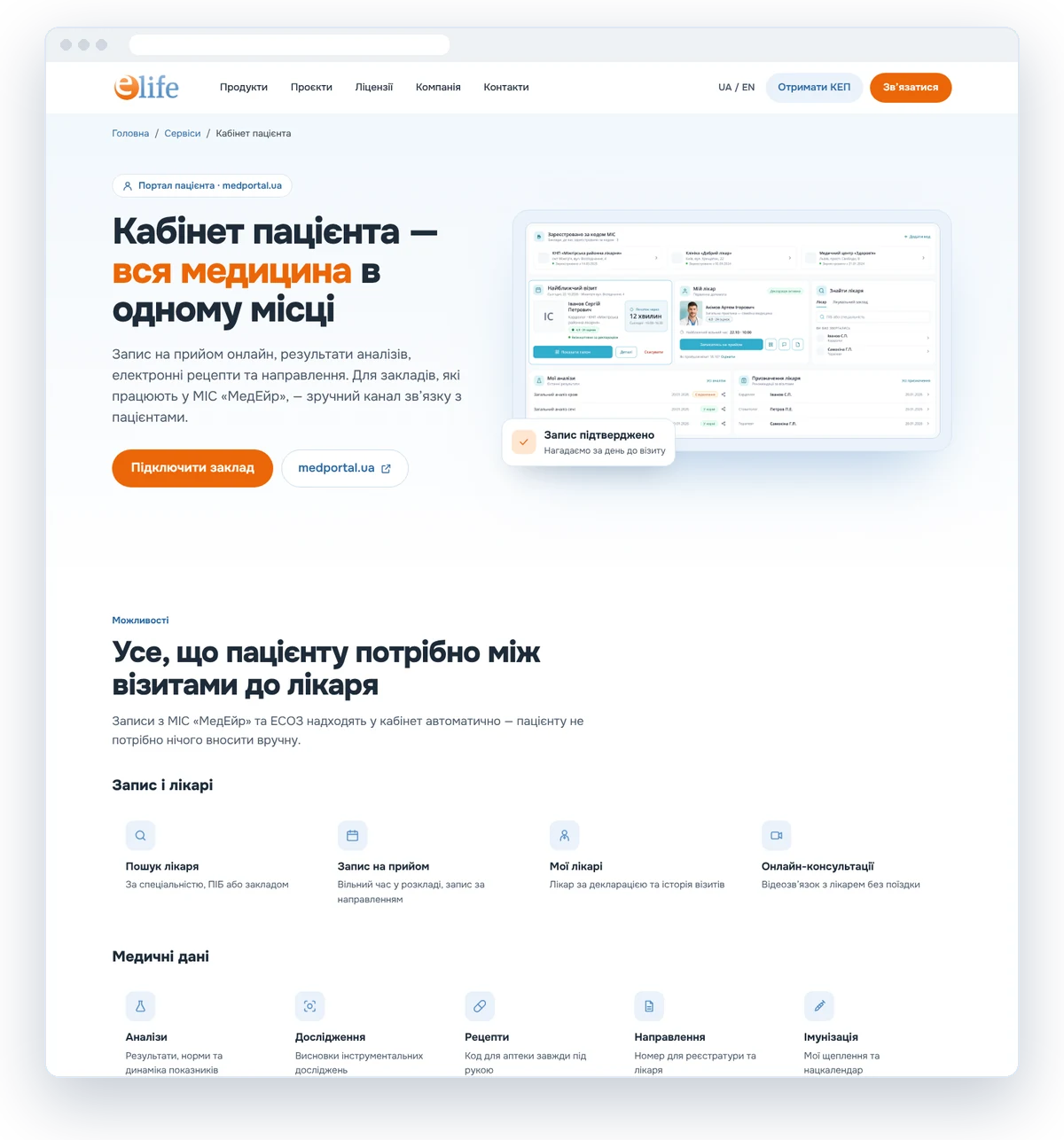
Patient services in plain language
The Patient Account page explains what a person can do between doctor visits: book an appointment, get test results and prescriptions. A separate block is for facilities that want to connect.
- Patient scenarios
- Three steps to start
- A block for facilities
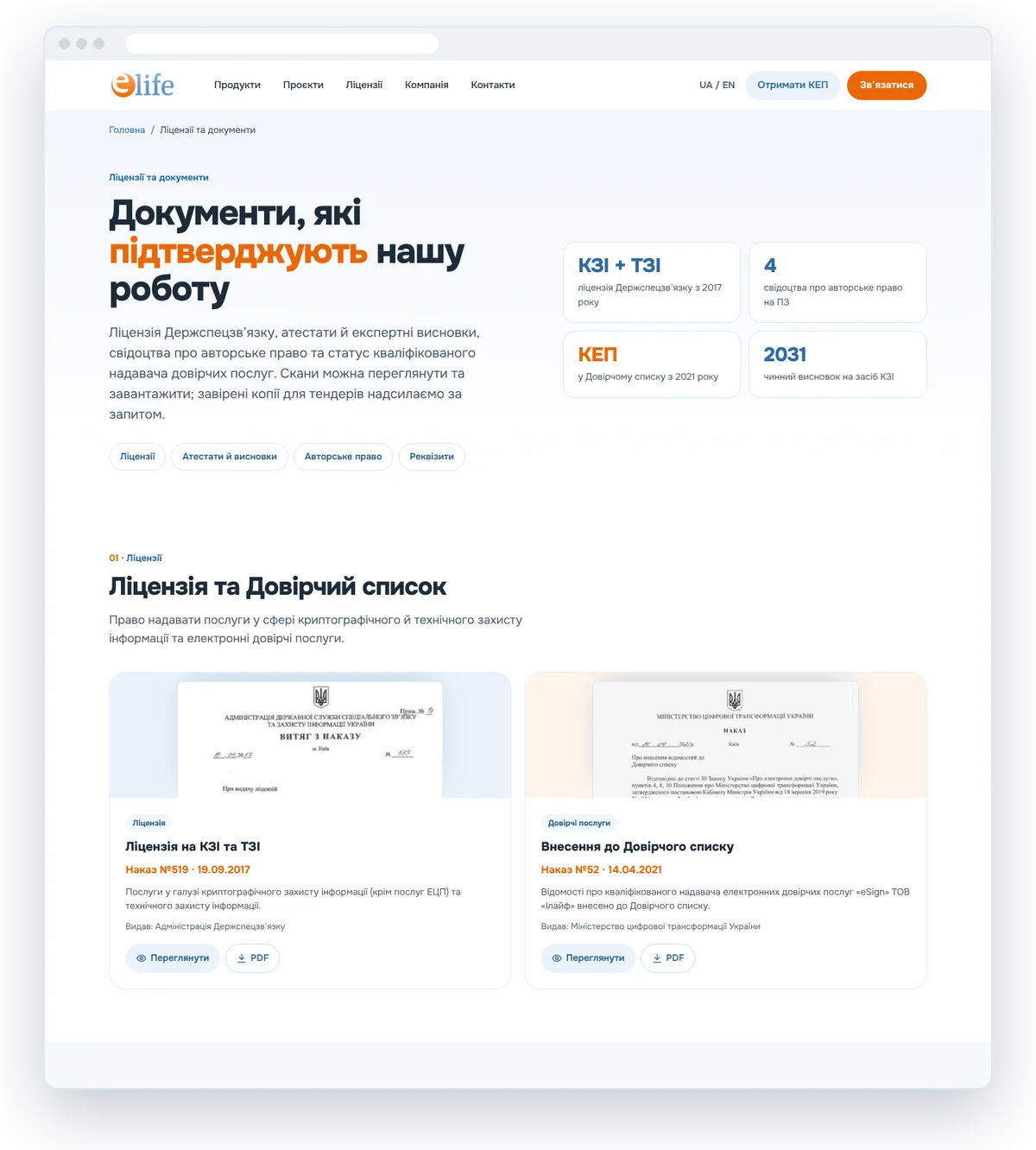
Documents that prove trust
Licences, attestations, expert opinions and copyright certificates are gathered on one page with previews and PDFs. Government clients no longer need to request documents separately.
- A preview of every document
- PDF downloads
- Company details
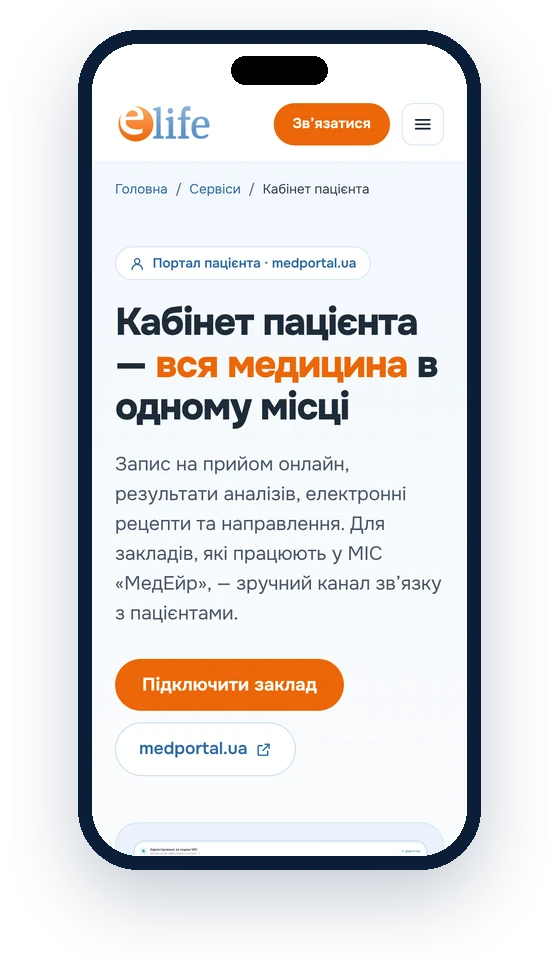
Easy to use on a phone too
The menu, product cards and tables adapt to a mobile screen, and the “Contact us” button is always at hand.
- Responsive cards
- Compact menu
- Contact button at hand
“We work with Bridge on several products: the Patient Portal, the eSign app and the PMG Center website. The team quickly gets to grips with complex processes — eHealth, prescriptions, qualified e-signatures — and turns them into simple flows for patients and doctors.”
Ye. LukianchukDirector, eLife